Ever recorded a fight, a WoE or a funny moment in Ragnarok and wished you could just show it to people without screen recording software? That's what the Replay Viewer is for.
Open it here: https://ratemyragnarok.com/tools/replay/
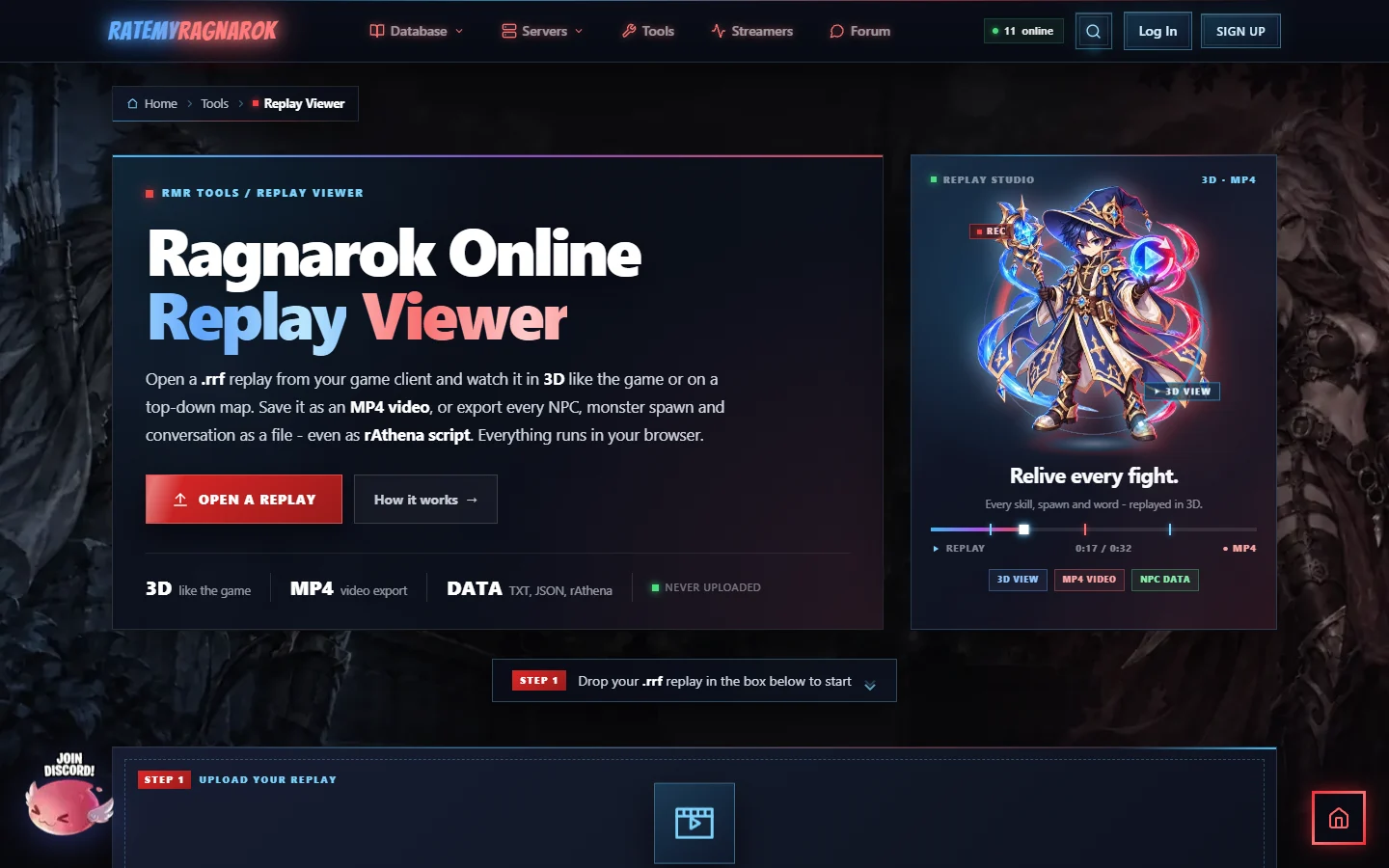
It takes the .rrf replay file your game client already makes, and plays it back in your browser: in 3D like the game, or on a top-down map. You can save it as an MP4 video, and you can export everything that happened in the recording as a file. Your replay is never uploaded; your own browser reads it.
1. Record a replay in your client
Use the replay recording in your Ragnarok client like you normally would. When you stop recording, the client saves a .rrf file in the Replay folder inside your Ragnarok Online game folder, for example C:\Games\YourRO\Replay\.
2. Open it on the site
Drag the .rrf file onto the box, or click Choose a replay file and pick it.
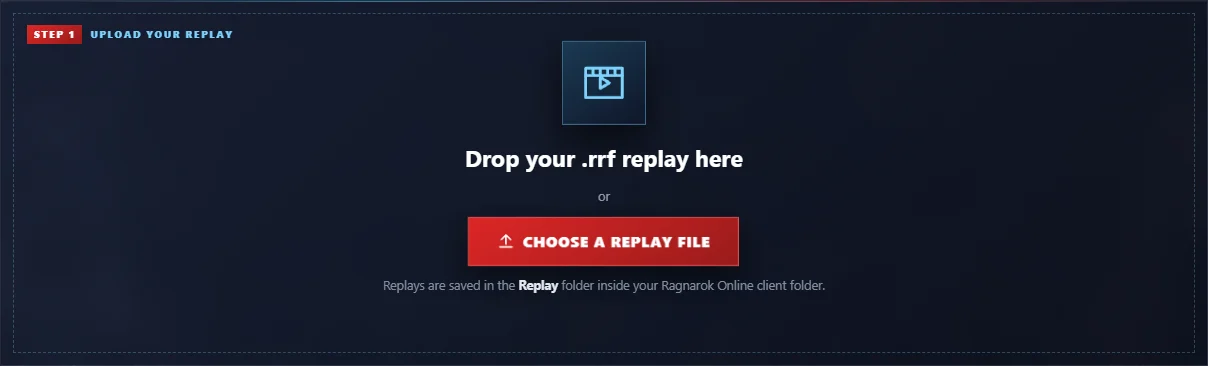
If you pick something that isn't a replay, the page tells you so. Replay files always end in .rrf.
3. Watch it in 3D
The replay opens in the 3D view: the real map with its buildings, trees and light, and every character animated like in the game. Monsters get their names and health bars, and you see damage numbers, critical hits, skills, cast bars and chat.
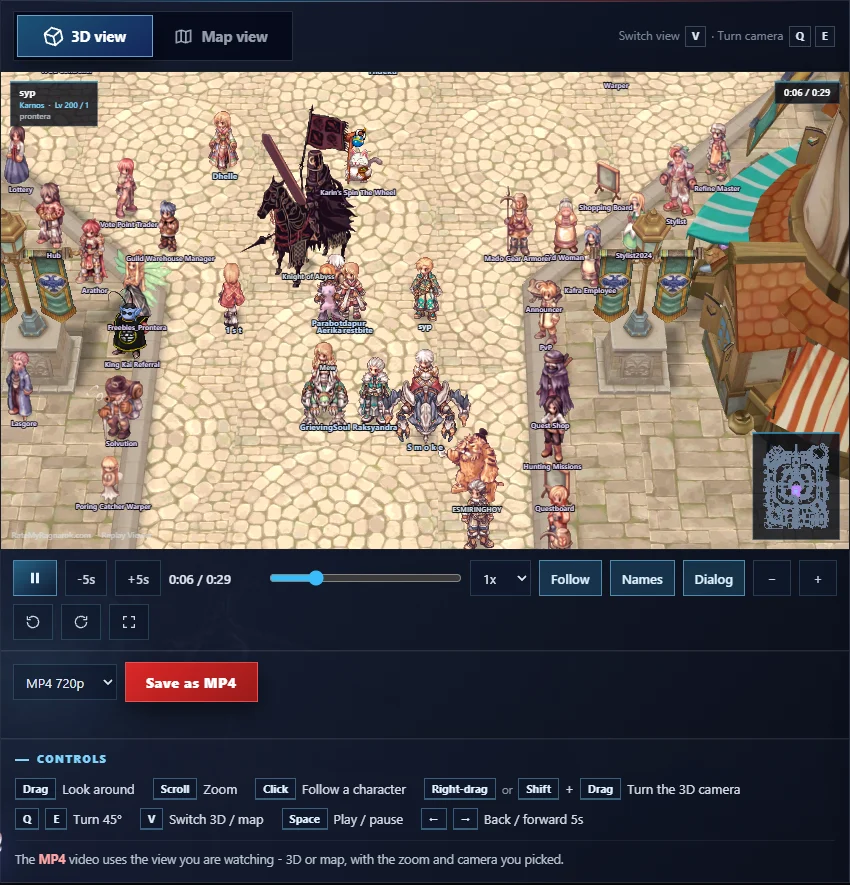
The controls:
- Drag to look around, scroll to zoom
- Click a character to follow them
- Right-drag or Shift + drag to turn the 3D camera, or Q and E to turn it 45°
- Space to play or pause, ← → to jump 5 seconds back or forward
- V to switch between the 3D view and the map
- Speed from 0.5x to 4x, and buttons to show or hide names and NPC dialog
4. Or use the map view
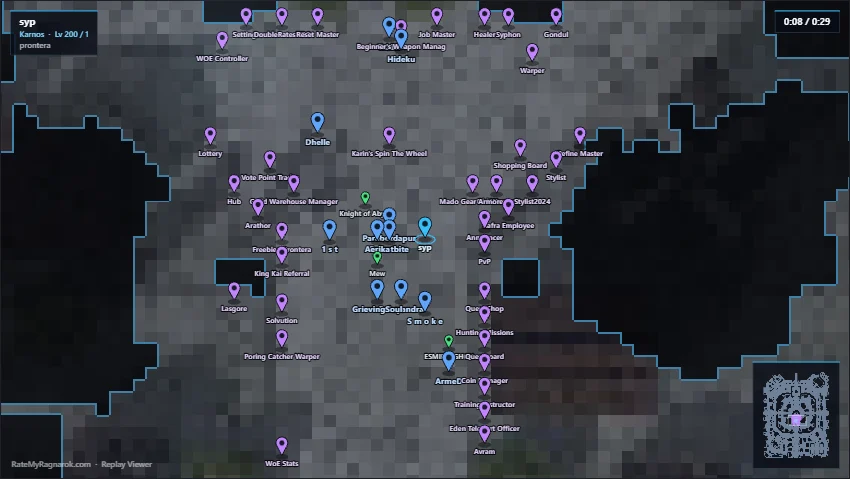
Some people prefer the overview. The map view shows everyone as a marker on the real map layout, with the minimap in the corner.
5. Jump through the events
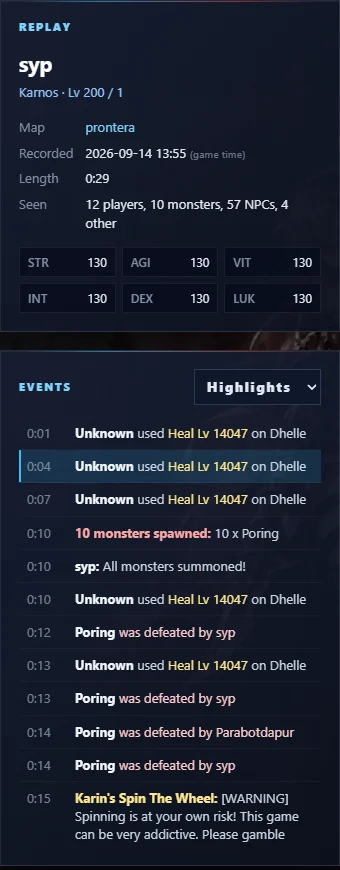
Next to the viewer you see who recorded the replay, the map, the length, and how many players, monsters and NPCs were seen. Below that is the event list: kills, spawns, skills, chat and NPC dialog. Click any line to jump straight to that moment. Filter it with the menu (Highlights, Combat, NPC dialog, Chat or Everything).
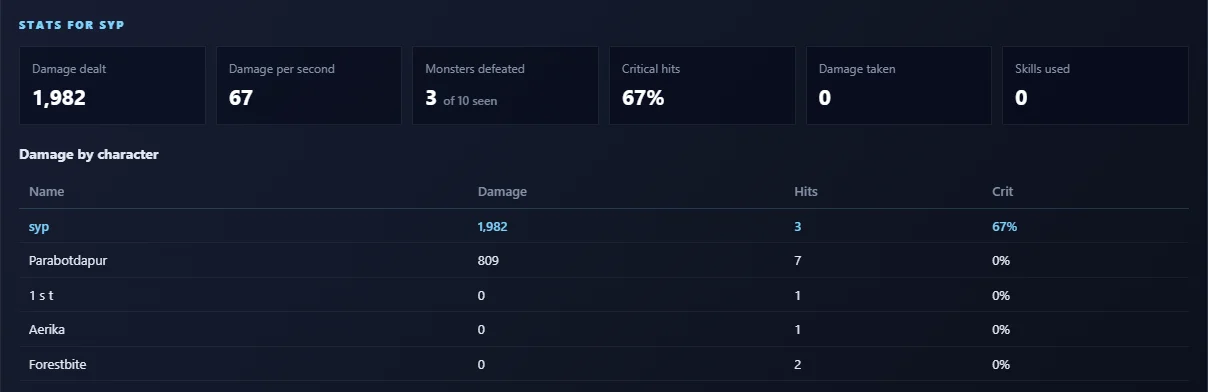
Under the viewer you also get the damage stats of the recording: damage dealt, damage per second, monsters defeated, critical hits, and damage per character.
6. Save it as a video
Pick MP4 720p or MP4 1080p and press Save as MP4. The video uses exactly the view you are watching, 3D or map, with the zoom and camera you picked. So set it up the way you like first, then save.
7. Export the replay data
This one is for the builders and server developers. Export replay data saves everything the recording holds: NPCs with their coordinates, monsters and spawn waves, conversations, shops, messages with their timing, items and more.
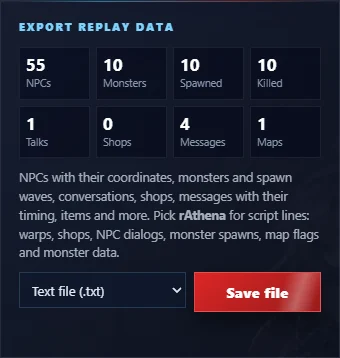
Choose the format:
- Text file (.txt): easy to read
- JSON data (.json): for your own scripts and tools
- rAthena scripts (.txt): ready-made script lines for warps, shops, NPC dialogs, monster spawns, map flags and monster data
Good to know
- Everything runs in your browser. Your replay stays on your own computer.
- The 3D view needs a browser with WebGL2. If yours can't do 3D, the viewer simply uses the map view.
- A few custom maps from private servers have no 3D data yet. Those replays open on the map view, with a note in the corner.
Got a question, found a replay that doesn't play right, or have an idea for the viewer? Reply below, I read everything.