You know the problem. Someone links a headgear, the icon is 24 pixels wide, and you have no idea what it actually looks like on a character until you have spent three days farming it.
So we put a character on the page.
Open the Santa Hat and press the button. A character walks onto the screen wearing it, drawn with the same sprites the game client uses.
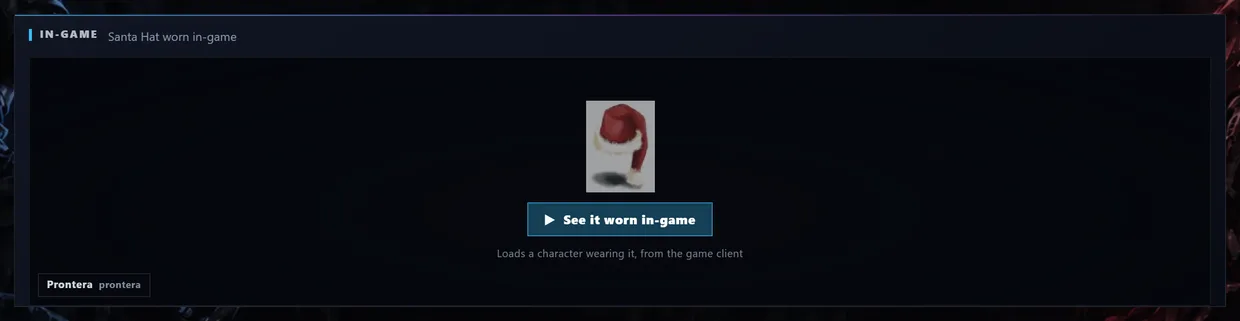
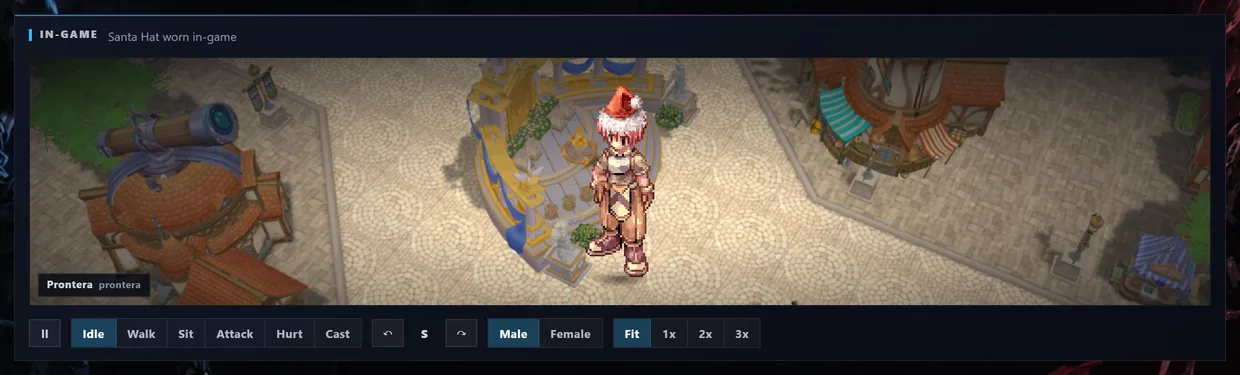
That is not artwork we made up. It is the client's own sprite, animated, standing on a real map.
What the buttons do:
- Idle, Walk, Sit, Attack, Hurt, Cast. Watch the hat during a cast animation before you decide it suits your build.
- The two arrows turn the character. Eight directions, because plenty of headgear looks great from the front and terrible from behind.
- Male and Female. The sprites are different. Now you can check yours instead of guessing.
- Fit, 1x, 2x, 3x. 3x is for when you want to count the pixels on the bobble.
Nothing downloads until you press the button, so the page stays light if you only came for the drop rate. Headgear with a look of its own gets this panel. Potions and cards do not, because there would be nothing to show.
Where do I actually get this thing
That is the real question, and every item page answers it with numbers straight out of the game data instead of a shrug.
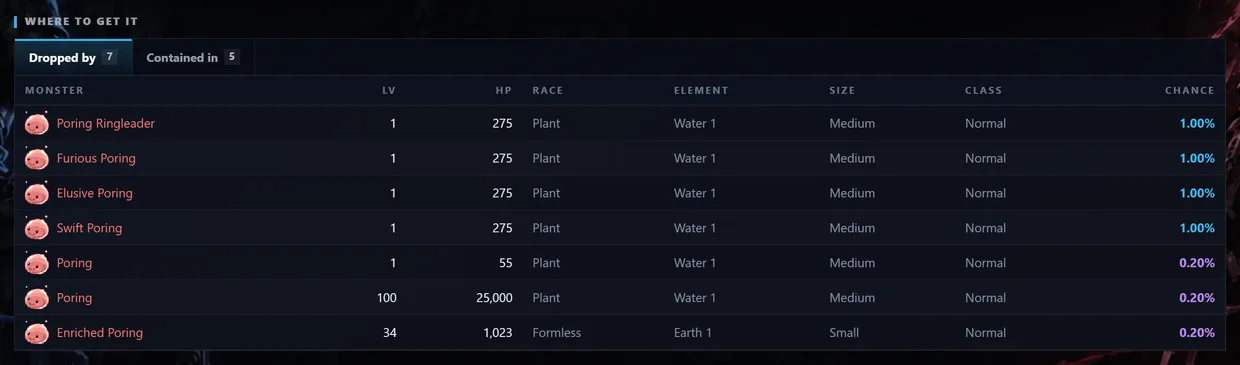
Dropped by is not just a list of names. Every monster comes with its level, HP, race, element, size and class, so you can tell in one glance whether you can actually kill it, and the exact chance sits at the end of the row.
Look at the Poring Card. It is 0.20% off a normal Poring, but a full 1.00% off a Poring Ringleader. Five times the luck, same card. That is the sort of thing worth knowing before you write off an evening.
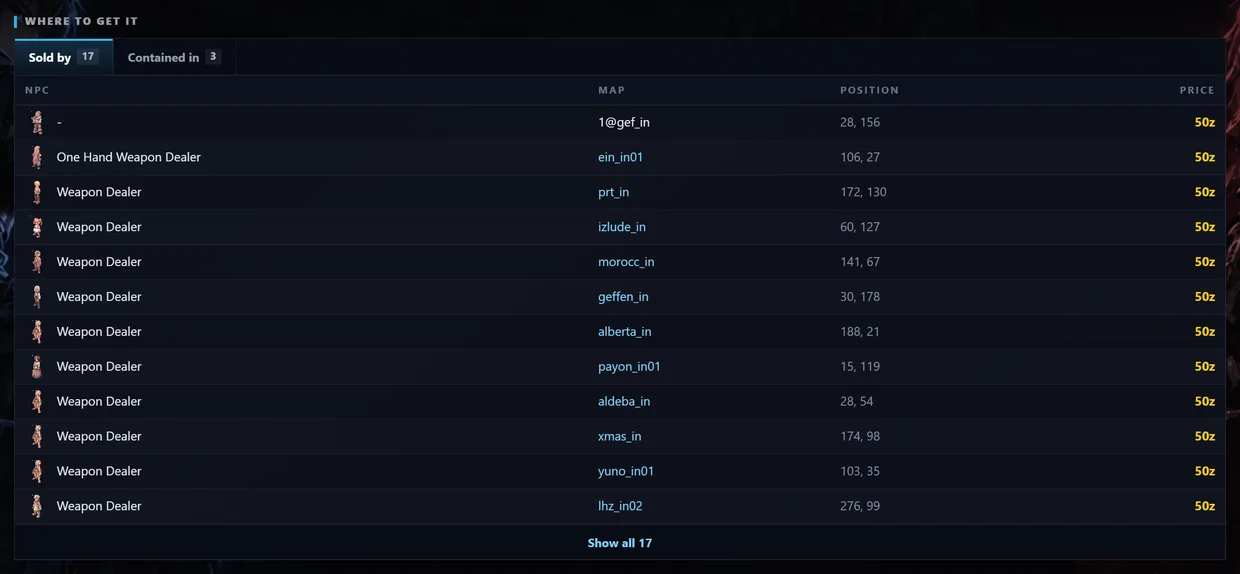
Sold by is there for anything a shop carries, with the NPC, the map, the exact coordinates and the price.
Contained in covers boxes and bundles, with the chance on each. Some of them are funny. An Old Blue Box coughs up a Poring Card 0.03% of the time, which is basically never, but at least now you know.
Every monster, map and item in those tables is a link. Card, then the monster that drops it, then the maps it lives on, then what else it drops. You can lose half an hour that way.
The rest of the page
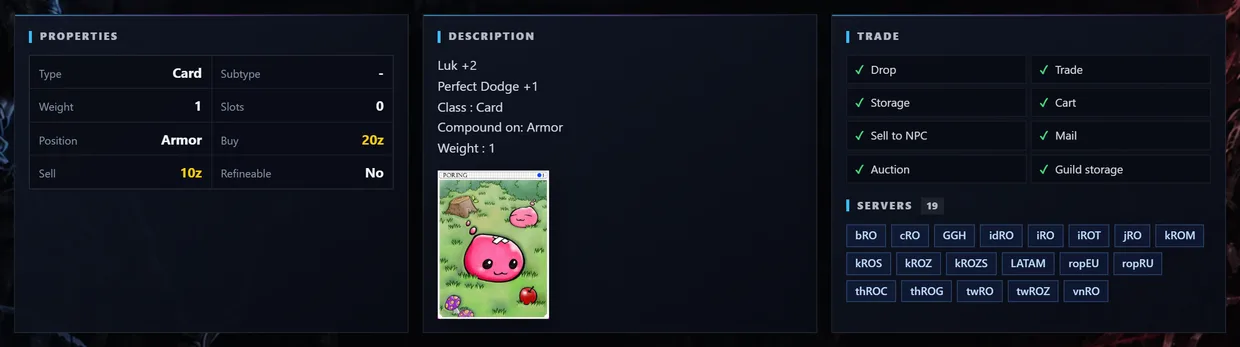
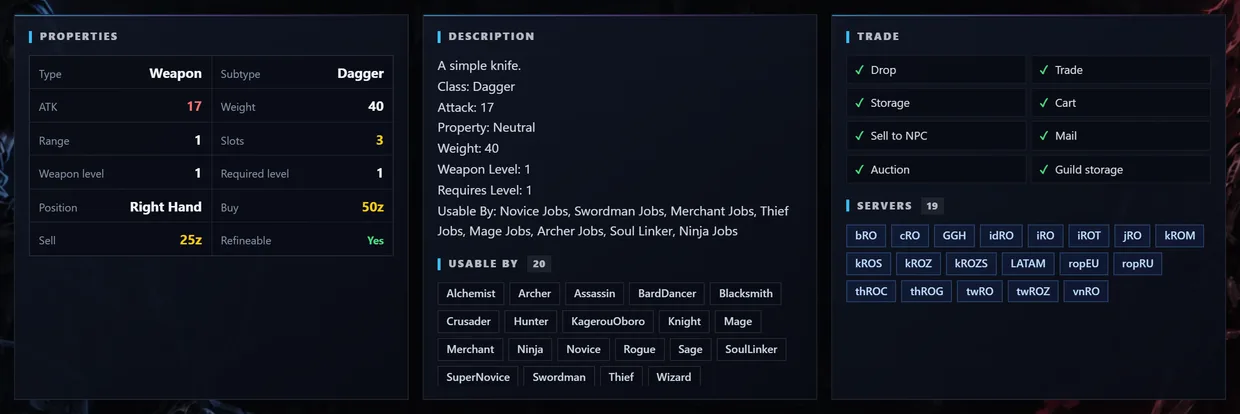
Properties is the hard data: type, weight, buy and sell price, required level, slots. Description is the item's text exactly as the client draws it, not a rewrite of it. Trade tells you what you are allowed to do with the thing: drop it, sell it, store it, vend it.
On equipment you also get the job list, which settles the usual argument about whether your class can even wear it.
Two things to check before you trust a number
The header carries the item's ID and its internal name, which are what you need when you are writing a script or asking an admin about something, plus the date the data was last updated.
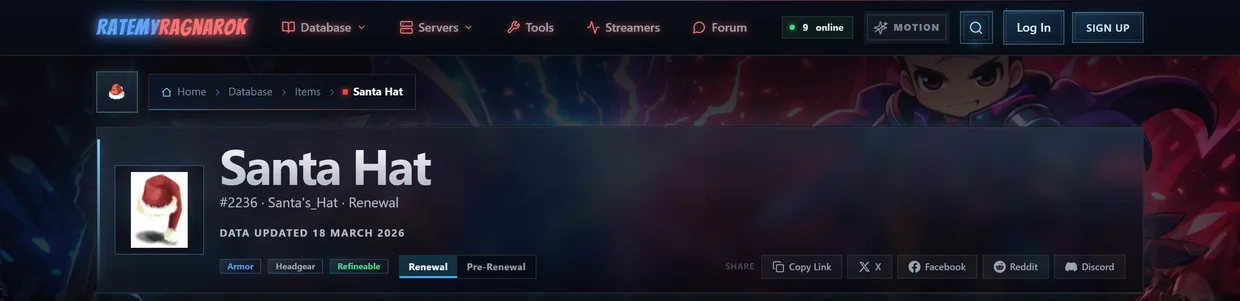
And Renewal and Pre-Renewal are separate pages. The two buttons under the name switch between them. Prices, rates, stats and job restrictions really do differ, and mixing them up is how people end up farming something that never drops on their server. Set it to whatever your server runs, then read the numbers.
Found something wrong?
Every item page has a Start a discussion button that opens a thread here with the item already attached. If a rate on your server looks nothing like ours, or you know a shop we missed, that thread is where it gets fixed.
Browse the item database, all 31,883 of them.
 ItemsWeapons, armor, cards & more
 MonstersStats, drops & spawn maps
 ServersBrowse private server listings
 ReviewsRead honest community feedback
 MapsInteractive world maps
 SkillsAll job skills & descriptions
 QuestsObjectives, monsters & locations
 NPCsNPC & monster sprite browser
 DatabaseFull database overview
 Latest UpdatesNewest items & monsters
ToolsRO client & database integration
StreamersWatch RO streamers live
ForumTalk servers, builds & guides
Latest UpdatesNewest items & monsters
ToolsRO client & database integration
StreamersWatch RO streamers live
ForumTalk servers, builds & guides