Every monster database on the internet shows you a still picture. A Poring is a pink blob in a box, and you are left to remember what it looks like when it is bouncing at you.
Ours draws the real thing.
Open the Poring and press one button. The monster turns up exactly as the client draws it, animated, standing on one of the maps it really spawns on, rendered in 3D.
The panel starts closed, with the map it will stand on already named:
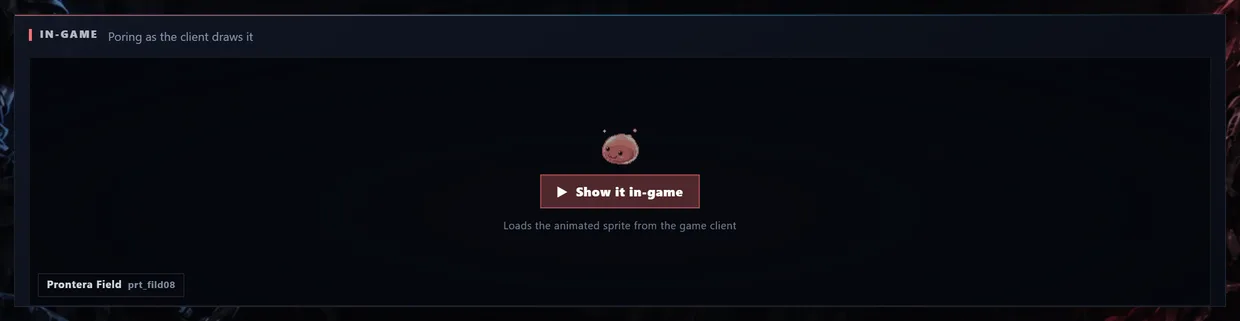
That is on purpose. Sprites and map data are heavy, most people come to a monster page for its drops, and nothing should download for a show you did not ask for. Press Show it in-game and this happens:
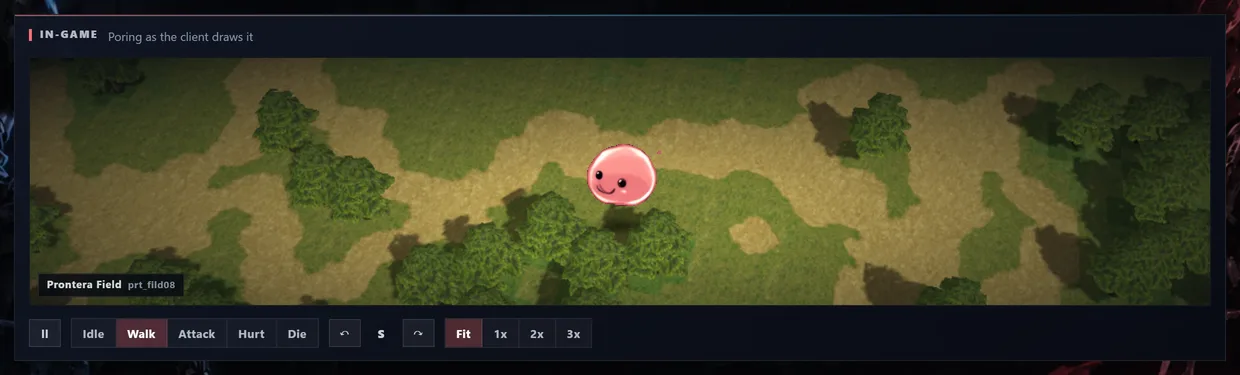
What you are looking at:
- The sprite is the client's own. Same frames, same palette, same timing you see in the game.
- The ground behind it is a real map, built from the game's own map file. Not a random one either. It is one of this monster's own spawn points, named in the corner. A Poring stands in Prontera Field. A Desert Wolf stands in the desert.
- Idle, Walk, Attack, Hurt, Die play that animation. More useful than it sounds. The attack and hurt animations are how you learn to recognise what is chewing on you.
- The two arrows turn it. Sprites are drawn from eight directions and they do not all look alike, which matters when two monsters look nearly the same from the front.
- Fit, 1x, 2x, 3x set the zoom. Fit sizes it to the panel, 3x is for staring at pixels.
The numbers
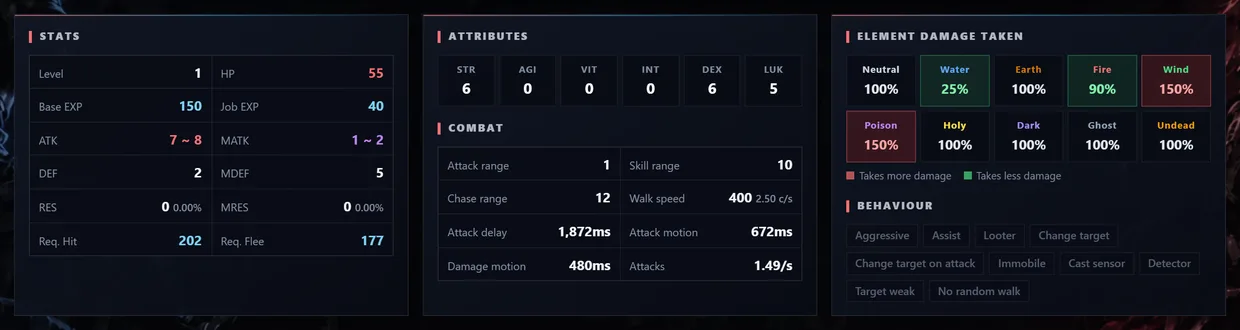
Stats covers level, HP, base and job EXP, ATK and MATK, DEF and MDEF, and the hit and flee you need against it. Combat has the timings people normally have to dig for: attack range, chase range, attack delay, attack motion, damage motion, walk speed, attacks per second.
Element damage taken is the one to read before you pick a weapon. Green means it takes less, red means it takes more. On a Poring you can see straight away that Fire does 90%, Water does a miserable 25%, and Wind and Poison do 150%.
Behaviour lists what the AI really does: aggressive, assist, looter, changes target, immobile, detector, targets the weak. That is the difference between pulling one monster and pulling the whole screen.

Skills shows every skill it can cast, at what chance, with cast time and delay, whether it can be interrupted, and what triggers it. EXP by level shows what you actually get at your level, penalty included, once you have outlevelled the thing. Servers lists the official services the monster exists in: bRO, cRO, iRO, jRO, kRO, LATAM and the rest.
What it drops and where it lives
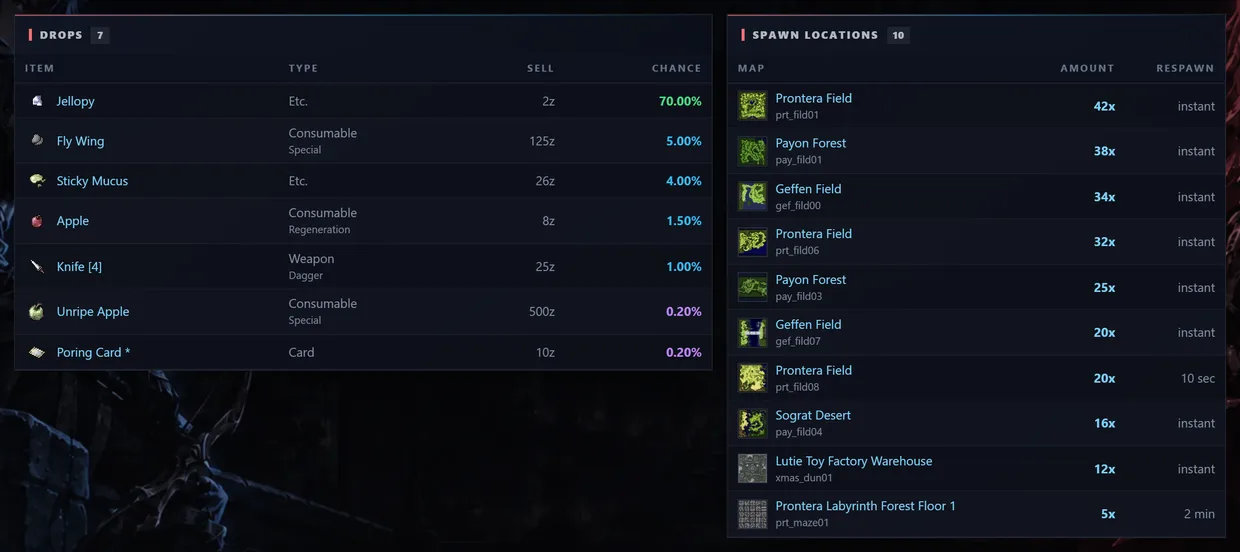
Drops gives every item with its type, its sell price and the exact chance, colour coded so a card jumps out of the list instead of hiding in it.
Spawn locations is sorted by how many spawn there, with a thumbnail of each map and the respawn time next to it. If you want Porings, you can see at a glance that Prontera Field prt_fild01 holds 42 of them on instant respawn, and skip the map with five.
Every item and every map is a link, so you can jump from an item to whoever else drops it, or from a map to whatever else is walking around on it.
Renewal and Pre-Renewal
The switch under the name changes the whole page. Stats, EXP, rates and skills are genuinely different between the two, so set it to whatever your server runs before you write anything down.
Tell us
Every monster page has a Start a discussion button that opens a thread here with the monster attached. If something looks wrong, or you want to argue about the best map to farm one, that is the place for it.
Browse the monster database, 4,441 of them, every one with the in-game view.
 ItemsWeapons, armor, cards & more
 MonstersStats, drops & spawn maps
 ServersBrowse private server listings
 ReviewsRead honest community feedback
 MapsInteractive world maps
 SkillsAll job skills & descriptions
 QuestsObjectives, monsters & locations
 NPCsNPC & monster sprite browser
 DatabaseFull database overview
 Latest UpdatesNewest items & monsters
ToolsRO client & database integration
StreamersWatch RO streamers live
ForumTalk servers, builds & guides
Latest UpdatesNewest items & monsters
ToolsRO client & database integration
StreamersWatch RO streamers live
ForumTalk servers, builds & guides