You can fly over Payon on this site now. Not a screenshot of it. The map itself, built from the game's own map file, with the wooden roofs, the trees, the river, the NPCs standing where they stand and the warps glowing where they glow. It runs in the browser, you can turn it, zoom it, and throw it fullscreen.
Here is Payon. Open it in another tab while you read.
The download size sits on the button on purpose. Payon is 0.7 MB and none of it arrives until you press. If you came for the monster list on a phone connection, you never pay for the 3D at all.
Press it, and:
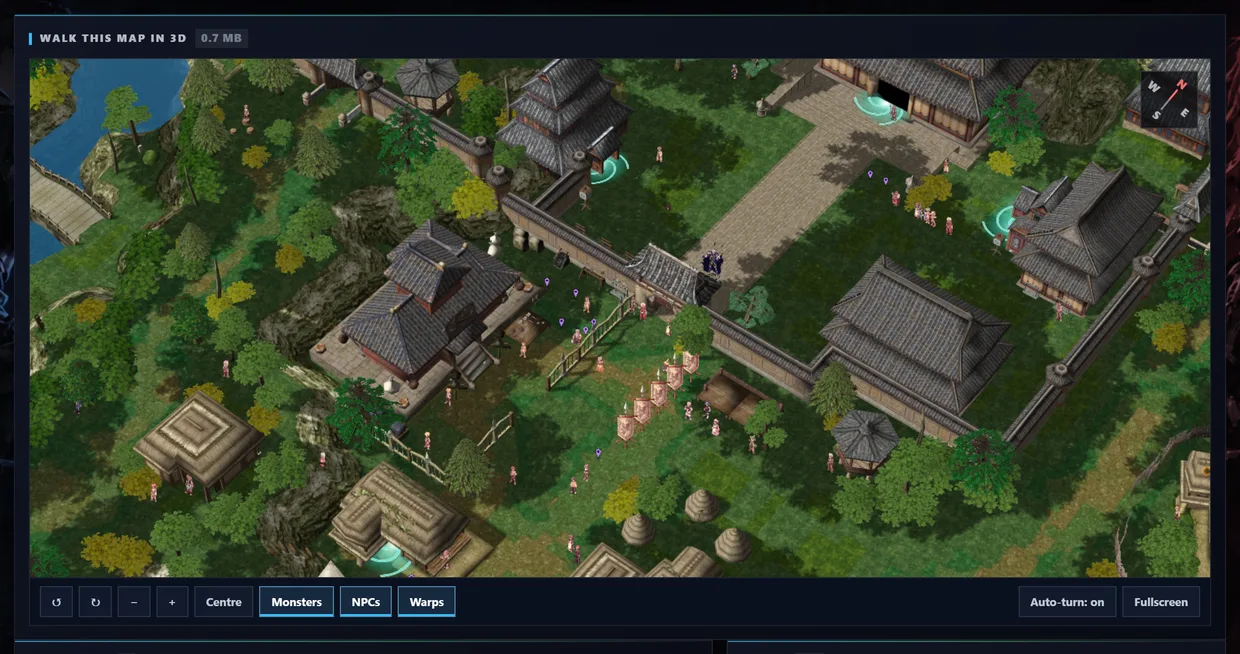
The controls under the view:
- Two rotate arrows turn the map, minus and plus zoom, Centre puts it back when you get lost.
- Monsters, NPCs, Warps switch each layer on and off. Turn NPCs off to see the streets. Leave Warps on to spot every exit at once.
- Auto-turn rotates it slowly by itself, which is the nicest way to look at a town you have not seen in fifteen years.
- Fullscreen does what it says, and it is worth doing on a big monitor.
The compass in the corner keeps north where north is, because every direction anyone gives you in game ("north gate", "south of the fountain") assumes it.
What is on the map
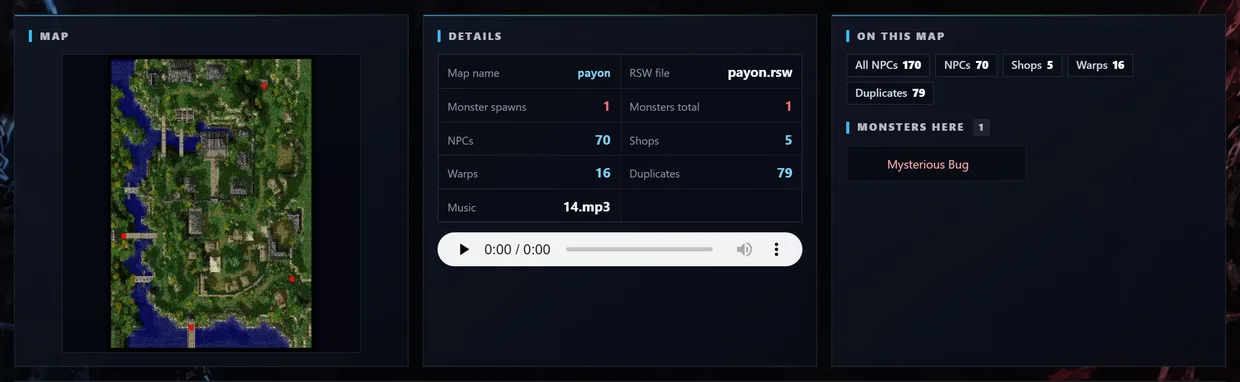
The flat map is there first, warps marked in red, so you get the shape of the place immediately. Next to it: the internal map name and its RSW file, how many monster spawns and monsters, how many NPCs, shops, warps and duplicates.
And the map's background music, with a play button. Press it. You are welcome.
Who and what is on it

Monsters lists what spawns here, how many of each and how fast they come back, with level, HP, race, element and size, so you can size up a field before you walk into it.
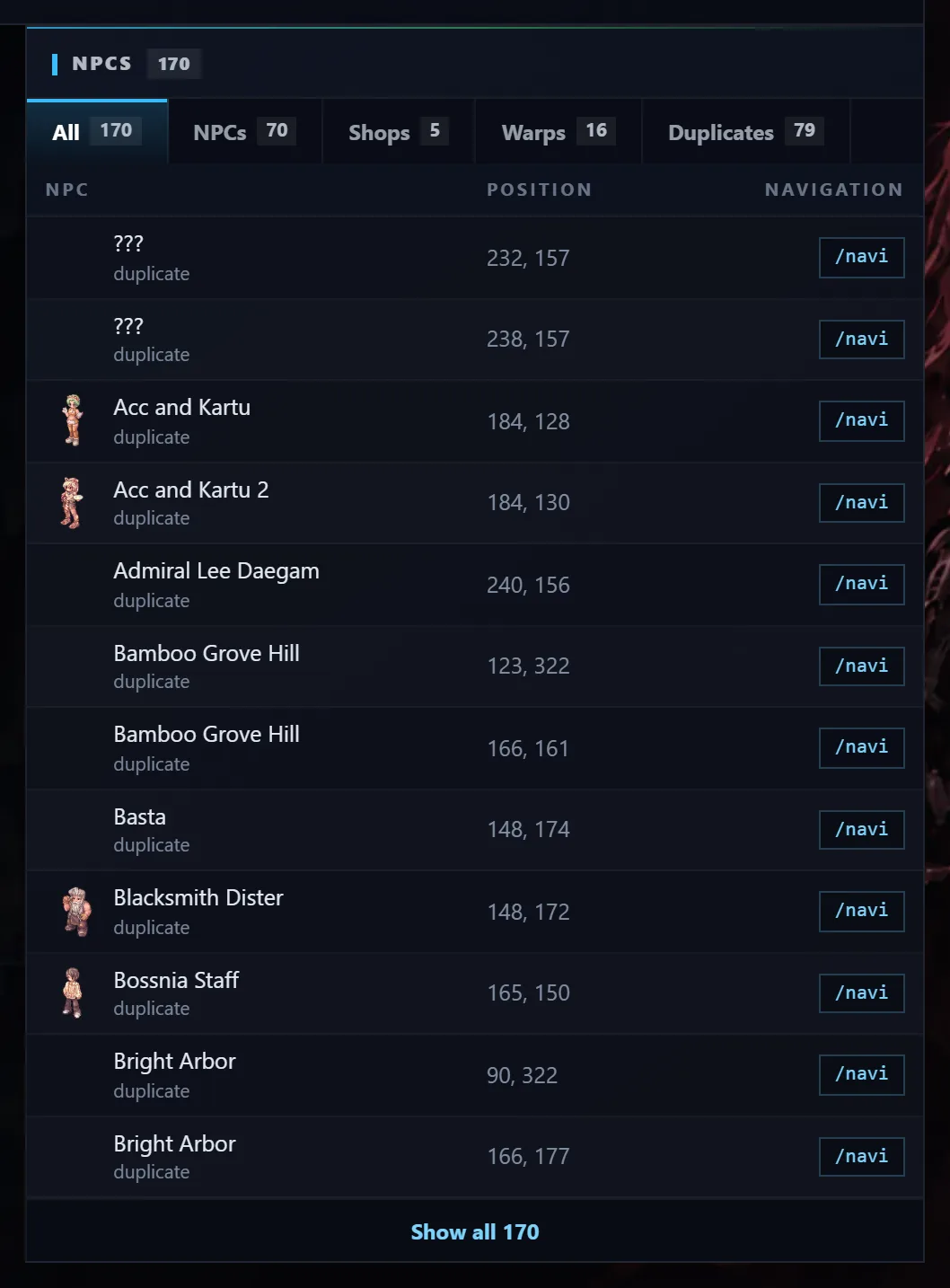
NPCs is the one people will actually use. Every NPC on the map with its sprite and its exact coordinates, split into tabs: plain NPCs, shops, warps, and duplicates, which are the same NPC placed more than once. Payon alone has 170 of them.
That /navi button next to each one copies the navigation command, /navi payon 232/157, straight to your clipboard. Paste it into the game chat and the client walks you there. No more squinting at coordinates in a wiki.
Ask about a map
Every map page has a Start a discussion button that opens a thread here with the map attached. Good leech spots, where the MVP really spawns, which warp saves you three minutes: that is what those threads are for.
Browse the map database, 1,225 maps. Towns, fields and dungeons all have the 3D view, and most are a much smaller download than a town.
 ItemsWeapons, armor, cards & more
 MonstersStats, drops & spawn maps
 ServersBrowse private server listings
 ReviewsRead honest community feedback
 MapsInteractive world maps
 SkillsAll job skills & descriptions
 QuestsObjectives, monsters & locations
 NPCsNPC & monster sprite browser
 DatabaseFull database overview
 Latest UpdatesNewest items & monsters
ToolsRO client & database integration
StreamersWatch RO streamers live
ForumTalk servers, builds & guides
Latest UpdatesNewest items & monsters
ToolsRO client & database integration
StreamersWatch RO streamers live
ForumTalk servers, builds & guides