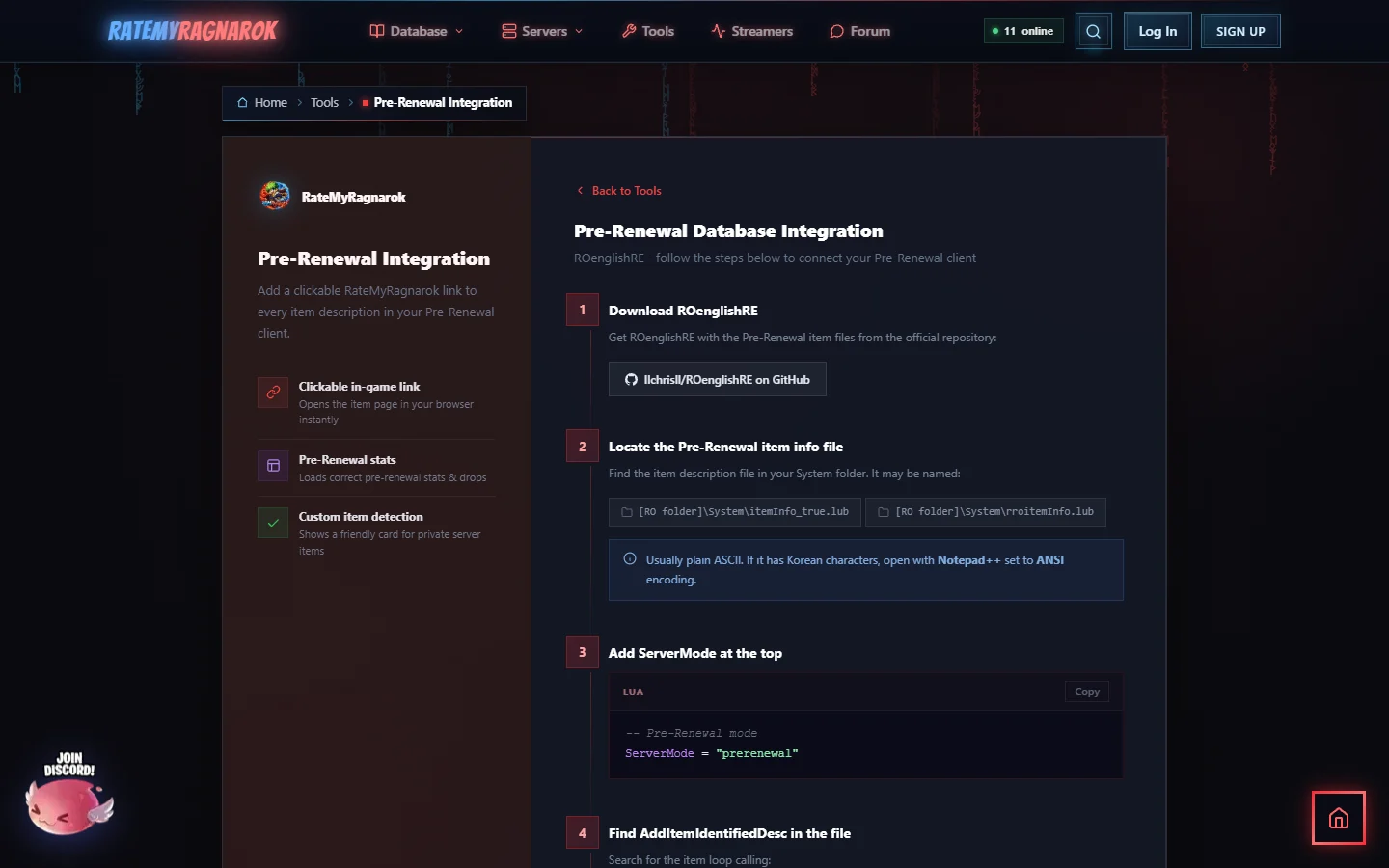
Playing on a Pre-Renewal server? Then you want Pre-Renewal stats, not Renewal ones. With this you add a small RateMyRagnarok.com link to the bottom of every item description in your client, and it opens the item page with the Pre-Renewal database selected.
The step by step page is here: https://ratemyragnarok.com/tools/prerenewal/
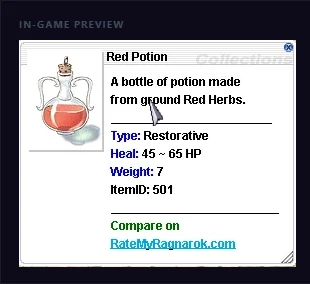
In-game it looks like this:
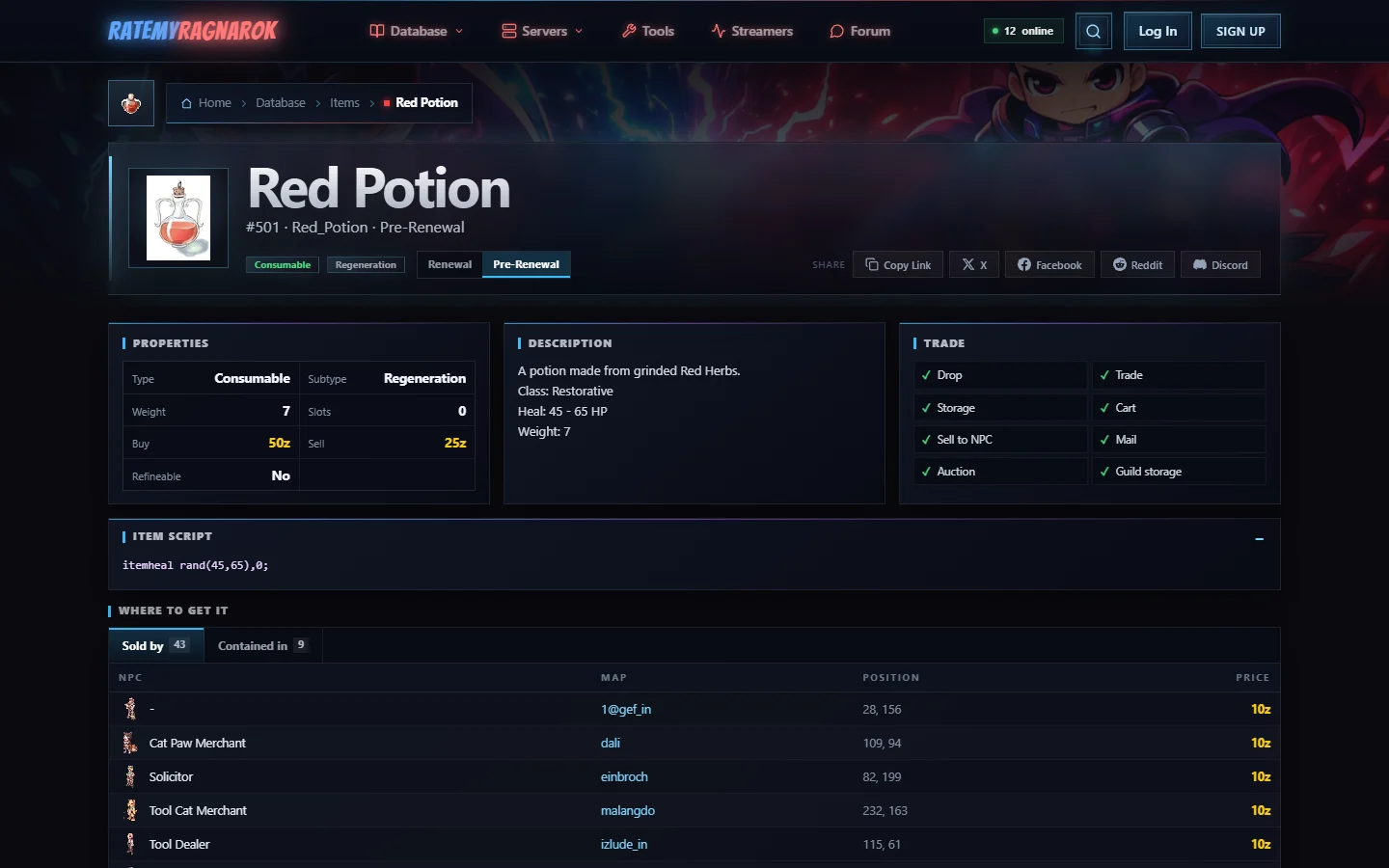
And the link opens the item in Pre-Renewal mode. Look at the Red Potion: in Pre-Renewal it costs 50z to buy, in Renewal it's 10z. That's exactly why the right mode matters.
What you need
1. Make a backup
Go to your client's System folder and copy the item info file somewhere safe first.
2. Find the item info file
In Pre-Renewal clients it can have one of these names:
[RO folder]\System\itemInfo_true.lub[RO folder]\System\rroitemInfo.lub
It's usually plain text. If you see Korean characters, open it in Notepad++ and save it with the encoding set to ANSI.
3. Set the mode at the top
Add this at the very top of the file:
-- RateMyRagnarok.com Server Config
ServerMode = "prerenewal"
This is the important one: it makes every link open the Pre-Renewal database.
4. Add the link to every item description
Scroll down to function main(). Inside it there is a loop for ItemID, DESC in pairs(tbl) do. Right at the start of that loop, add these lines:
DESC.unidentifiedDescriptionName[#DESC.unidentifiedDescriptionName + 1] = "________________________"
DESC.unidentifiedDescriptionName[#DESC.unidentifiedDescriptionName + 1] = "^006600Compare on^000000"
DESC.unidentifiedDescriptionName[#DESC.unidentifiedDescriptionName + 1] = "<URL>RateMyRagnarok.com<INFO>https://ratemyragnarok.com/database/items/" .. ItemID .. "?mode=" .. ServerMode .. "</INFO></URL>"
DESC.identifiedDescriptionName[#DESC.identifiedDescriptionName + 1] = "________________________"
DESC.identifiedDescriptionName[#DESC.identifiedDescriptionName + 1] = "^006600Compare on^000000"
DESC.identifiedDescriptionName[#DESC.identifiedDescriptionName + 1] = "<URL>RateMyRagnarok.com<INFO>https://ratemyragnarok.com/database/items/" .. ItemID .. "?mode=" .. ServerMode .. "</INFO></URL>"
It works for both unidentified and identified items. Want the item ID shown too? Add these two lines above the others:
DESC.unidentifiedDescriptionName[#DESC.unidentifiedDescriptionName + 1] = "ItemID: " .. ItemID
DESC.identifiedDescriptionName[#DESC.identifiedDescriptionName + 1] = "ItemID: " .. ItemID
The page also has a Full Working Example with the complete main() function, if you'd rather copy the whole thing. The main_server() function at the bottom stays unchanged.
5. Save and test
Save the file, start your client and right-click any item to open its description. At the bottom you'll see Compare on RateMyRagnarok.com. Click it and you land on the Pre-Renewal page of that item.
Items that only exist in one database
Not every item exists in both databases. If an item is only in Renewal, its page opens there and shows Renewal only, so you're never stuck on an empty page. Custom items from private servers that we don't know yet get a clear "not found" page.
Questions, or does your client use another file name? Reply below with your client and the file you edited, and we'll sort it out.